VT Atlas
A region and zone system built on gameplay tags. Place a volume, give it a tag, and ask three questions with one honest answer each:
- Is this actor in that region?
- Which single region is it in?
- Who is in that region?
Everything is callable from Blueprint. Nothing needs C++.
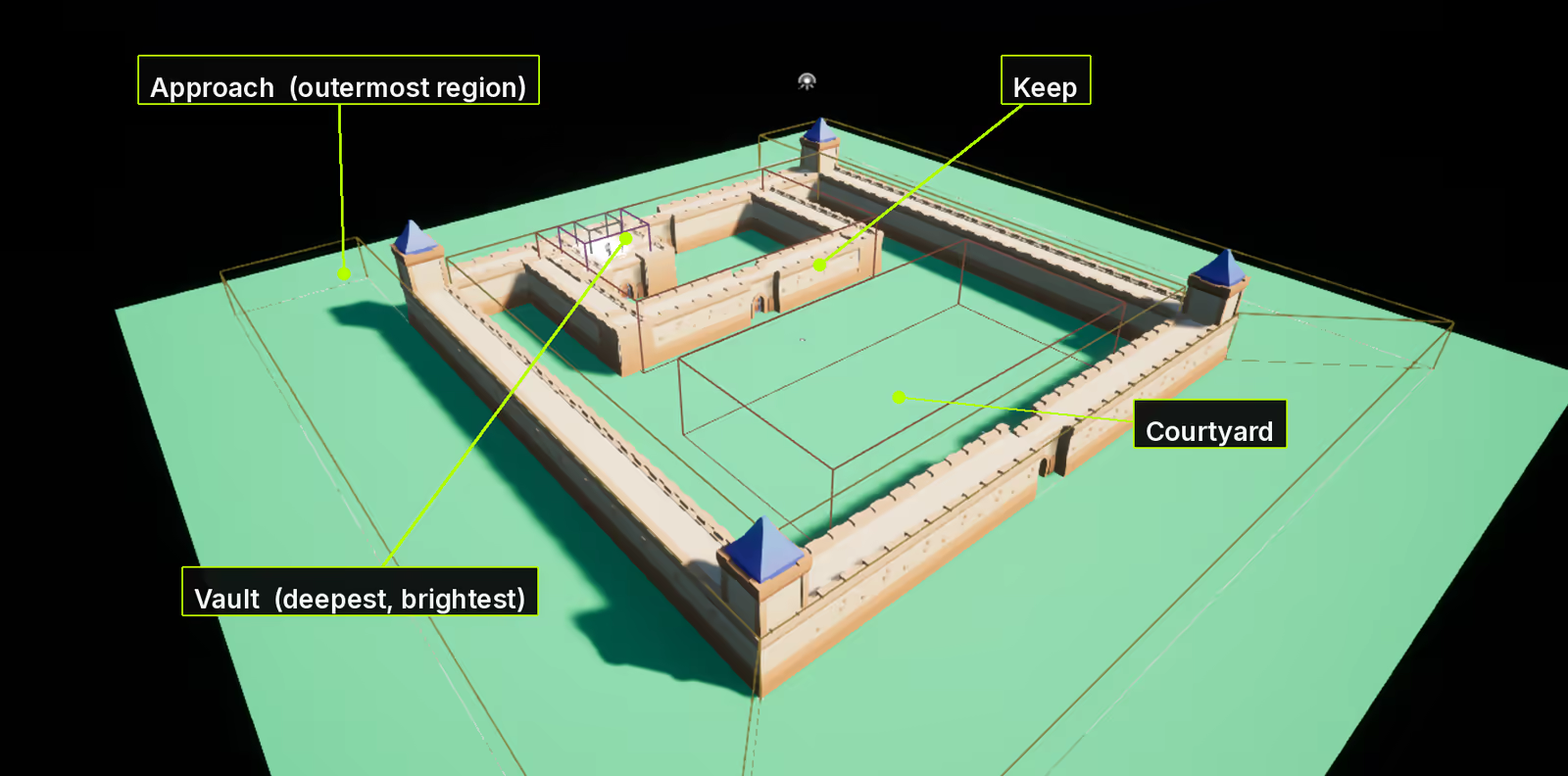
Four regions in the sample map. The colour of each boundary comes from how deep its tag sits, so nesting is visible at a glance in the viewport.
What people build with it
Regions are the plumbing under a lot of things that look unrelated.
A location banner. "The Drowned Keep" fades in when the player arrives. Add a Region Listener component, set a display name on the volume, bind On Current Region Changed. Two nodes and a widget.
A map that fills in as you explore. Discovery is per player, server-authoritative and replicated to its owner only, so one player's map is genuinely not the other's. The sample keep ships a working minimap doing exactly this, fogged until visited.
Music and ambience that follow the room. Crossfade on the region enter and exit events. Because
regions nest, a track set on Castle keeps playing through every room inside it unless a child region
overrides it.
Rules that apply in a place. No damage inside the tavern, no building in the plaza, no fast travel
underground. One Is Actor In Region check on the server, gated by the tag you already named.
An encounter that arms when the room is occupied. On Region Occupied fires when a region gains its first occupant and On Region Vacated when it loses its last, so the boss wakes when players arrive and resets when they leave. It carries no actor, so it cannot drift the way a hand-counted total does.
Objectives phrased as places. "Reach the docks" is a region enter event. "Survive two minutes in the arena" is Get Time in Region. "Visit every district" is the discovery list.
Behaviour attached to the place instead of the actor. A Region Feature on a region definition runs when that region is occupied and stops when it empties, with nothing placed in the level and nothing holding a reference to it. The sample uses one to light a vault when someone walks in.
Telemetry. Dwell time per region tells you where players actually spend their session, which is usually not where you assumed.
Regions are your tags
VT Atlas ships no region vocabulary and imposes no depth. You name your regions in the project's gameplay tag table, and the hierarchy you write is the hierarchy the plugin uses.
Castle
Castle.Keep
Castle.Keep.Hall
Castle.Keep.Hall.Vault
Place one volume tagged Castle.Keep.Hall.Vault and an actor standing in it is in the vault, in the
hall, in the keep and in the castle. You did not place four volumes, and nothing had to be told that a
vault sits inside a hall. The tag said so.
Two words, everywhere
Every query and every event comes in two forms, and they mean the same thing wherever you see them. Exact is about volumes carrying precisely that tag. Or Nested counts the hierarchy too.
Neither implies the other, which is why both exist. See Concepts for the case that catches people out.
What is in the box
- Box, sphere, capsule and spline region volumes. A spline region is the shape you draw, baked to convex hulls at save time, so a query tests the same geometry the collision body was built from.
- Per-player discovery, server-authoritative and replicated to its owning client only.
- A region listener component and a region occupant interface, for the two different ways you want to hear about a crossing.
- Region features: behaviour attached to a region rather than to an actor.
- A gameplay debugger category, console commands,
stat VTATLcounters and Insights scopes. - A sample keep you can walk through, with a minimap that fogs undiscovered regions.
Requirements
Unreal Engine 5.8. Windows and Mac. No third-party plugin dependencies.
Start here
- Setup puts a working region in your level in about ten minutes.
- Sample Walkthrough walks the shipped keep and shows per-player discovery with two players.
- Concepts is the one page worth reading end to end before you build on it.
- API Tour when you know what you want and need the node name.
Something not behaving? Troubleshooting quotes every message the plugin can print.
These docs are an Obsidian vault
The docs folder is a plain Markdown vault. Point Obsidian's Open folder as vault at it and you get
the whole thing offline, with the graph, the file tree and working links between pages. It ships inside
the plugin too, at Plugins/VTAtlas/Docs, so you already have it once VT Atlas is installed.